- Saturday Sites
- Posts
- 3 Productivity Tools for Digital Minimalists
3 Productivity Tools for Digital Minimalists
Stay organized without the digital clutter

Caleb Chiang
September 06, 2025 • Estimated Reading Time: 3 minutes

Table of Contents
Introduction
If you’re like me, you probably dislike bulky apps with unnecessary and distracting features. You just want something simple, lightweight, and that doesn’t collect your data.
Something that helps you stay focused for a long period of time.
That’s why in this issue, I’m highlighting three lightweight and privacy-friendly productivity tools that help you stay organized.
I personally use these tools on a daily basis to keep my work organized.
1.) Obsidian - Deep work and note organization
Obsidian is a local-first note-taking app that turns your notes into a connected knowledge base. Every file is saved as plain Markdown on your own device, so you fully own your data and aren’t locked into a cloud service.
Obsidian has a clean interface out of the box, with the option to add plugins if you want more power. Things like daily notes, to-dos, or graph view to map connections between ideas.
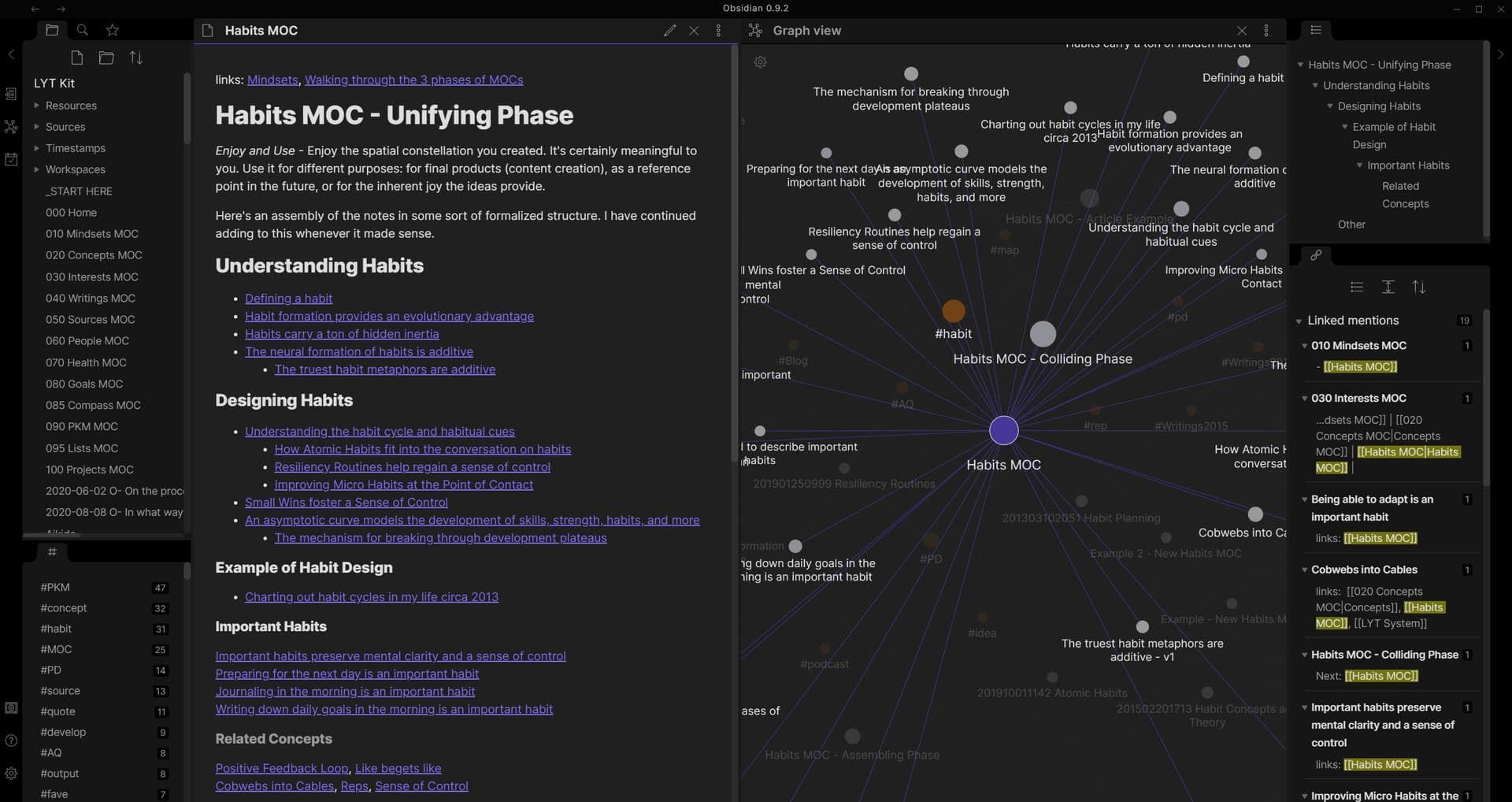
Organize all your notes on your local device with Obsidian
It’s developed by a small, independent team, not a big tech company, and the core app will always be free for personal use.
Download Obsidian here.

Obsidian’s graph view - shows how your notes connect, giving you a visual map of your ideas.
2.) Proton Calendar
Proton Calendar is a private alternative to Google Calendar that puts your schedule back in your control.

Proton Calendar offers a user-friendly interface
Most people rely on Google Calendar without thinking twice, but it’s part of the broader Google ecosystem. Which means your events, contacts, and reminders can all be tied to the company’s data collection practices.
Proton Calendar solves this with end-to-end encryption: your events, attendees, and notes are visible only to you, not even Proton can read them. It’s clean, lightweight, and built by the same Swiss-based team behind Proton Mail, a company known for its strong stance on privacy.
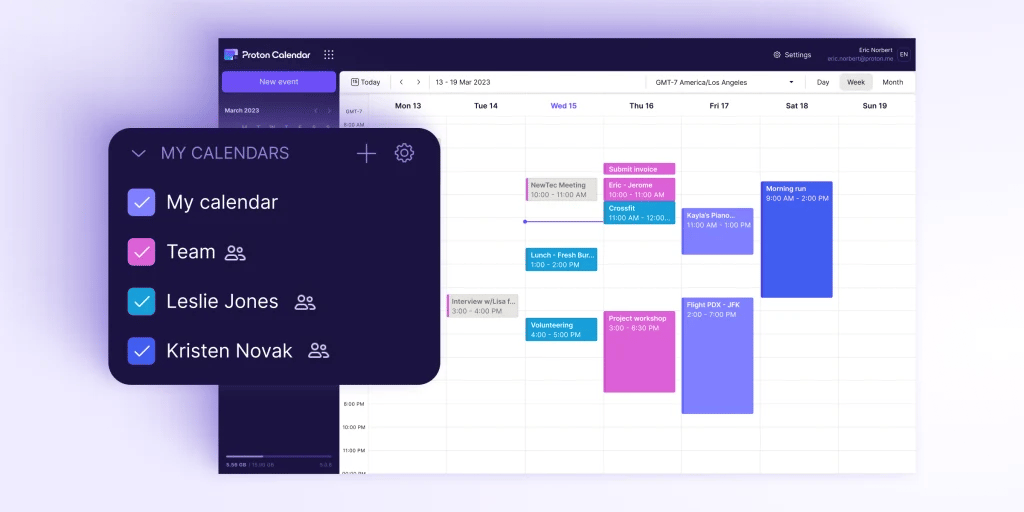
Manage multiple team members
If you want the convenience of a modern calendar without giving up your personal data, Proton Calendar is a solid choice.
Learn more at https://proton.me/calendar
3.) Nextcloud
Nextcloud is an open-source alternative to Google Drive that gives you full control over your files. Instead of storing your documents and photos on Google’s servers,
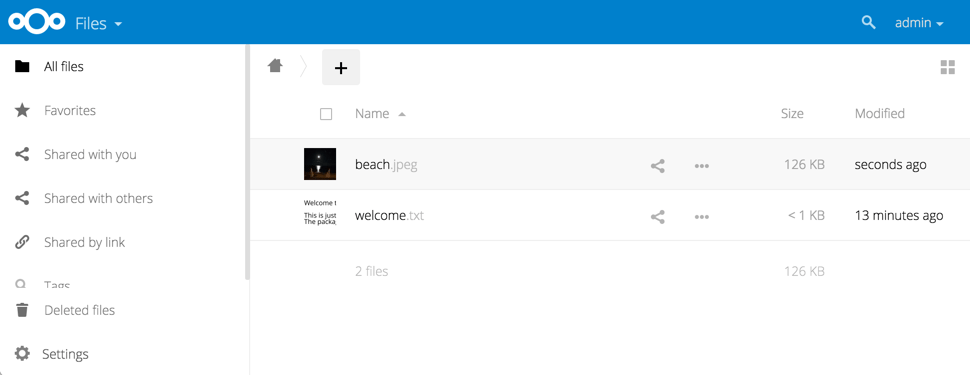
Access your files using the Nextcloud web interface
Nextcloud lets you host your own secure cloud, either on your computer, a home server, or through a trusted hosting provider.
🔒 Privacy first: All data stays under your control. No hidden data collection.
📂 File syncing & sharing: Works like Dropbox or Google Drive, but you own the server.
🗓️ Productivity apps built in: Includes Calendar, Contacts, and Deck (kanban boards for tasks).
🌍 Open source: Anyone can inspect the code, contribute, or run their own version.
On top of that, Nextcloud includes built-in productivity apps like Calendar, Contacts, and even task boards, making it a private all-in-one workspace.
Try it out here.
🌟 Reader Spotlight
Speaking of productivity tools, this week’s spotlight is on MindNote, an AI-powered note-taking app built for both personal and professional use.

Key Features:
Write, dictate, and listen to your notes with speech-to-text and text-to-voice.
AI-powered editing for grammar fixes, translations, and list completion.
Organize notes by colors and groups to keep projects tidy.
Extras like YouTube transcription and formula support for students and professionals.
Deal: Right now, there’s a lifetime plan available for a one-time $199 giving you unlimited access to all current and future features, with a 60-day money-back guarantee.
👉 Check out the MindNote lifetime deal on Oncely
Takeaways
Obsidian → Local-first note-taking you fully own.
Proton Calendar → Encrypted scheduling without Google’s data tradeoffs.
Nextcloud → A private, open-source alternative to Google Drive.
Together, these tools give you a lightweight, privacy-friendly productivity stack perfect for digital minimalists who want to stay organized without giving up control of their data.
👉 Have a favourite privacy-first productivity tool I missed? Just hit reply—I’d love to hear your recommendations.
And if you enjoyed this issue, share it with a friend who’s into tech.
See you next week!
Saturday Sites
Links to related articles: